There are bonus epilogues for the first three books.
Some readers experience enormous difficulty when trying to get them to their Kindles.
98% of readers don’t. This post is help for those readers who do.
I told an advance reader that it took a matter of seconds to send something to her Kindle. She didn’t believe me, didn’t follow the instructions on Bookfunnel and generally struggled a lot.
But I get it. My best friend is a bit tech-challenged, and so she gets mildly panicky and just presses any button that looks like it might work instead of taking a second to read the page carefully and pick the right one.
I’m not sure why people who struggle with tech are so reluctant to slow down and READ and FOLLOW the instructions at their own pace, but I’ve noticed they often are and go into it with a “Well, I won’t be able to do this anyway” attitude.
Let me show you how simple it can be with this ridiculously short video. I had to slow down enough so you could all see it – it would normally take me less than half the time.
Once you’ve watched it, hopefully, you’ll have the confidence to work through it step by step along with me. Then you’ll have some lovely free bonuses to read and a new skill. And you won’t miss out the next time there is a free Rainbow Gateway story. 😍
As ALWAYS if you double-click the video, it will change to full screen.
But I read ONLY paperbacks—I don’t have a Kindle?
You can read the bonuses online in your browser. Follow this with me until you get to the page with the bonus you want on it. Instead of clicking the Get My Book box, click the (smaller) text link underneath that says “Start reading in your browser”.
FIXED!
Let’s Start 🥰
Begin by subscribing to the newsletter
If you’re already a subscriber: search your email for “Gretna Green” or my name, “Linzi Day”
If you didn’t delete them … this will find them for you.
No insult intended, but I’ve been a few rounds on this with some readers; it’s often the little things … Greta Gren or Lynzi Dey won’t find it!
If you don’t yet subscribe, do that now.
The bonuses are available only to my newsletter subscribers. If you want them, you need to subscribe to the newsletter.
(No, I never plan to change this or to make these three bonuses available any other way – it is what it is. They’re bonuses and are gifts to the readers who subscribe. They are not a ‘right’. I’ll explain further in another post, but in this one we’re learning about getting the bonuses onto your device.
Full details on how to get the newsletter can be found here: https://linziday.com/newsletter/
So you’ve subscribed …
Every newsletter contains links to the bonuses.
The FIRST time you subscribe, you will receive an email immediately asking you to confirm you wish to subscribe. Again, if you’ve lost it, search for my name “Linzi Day” in your email or your spam folder.
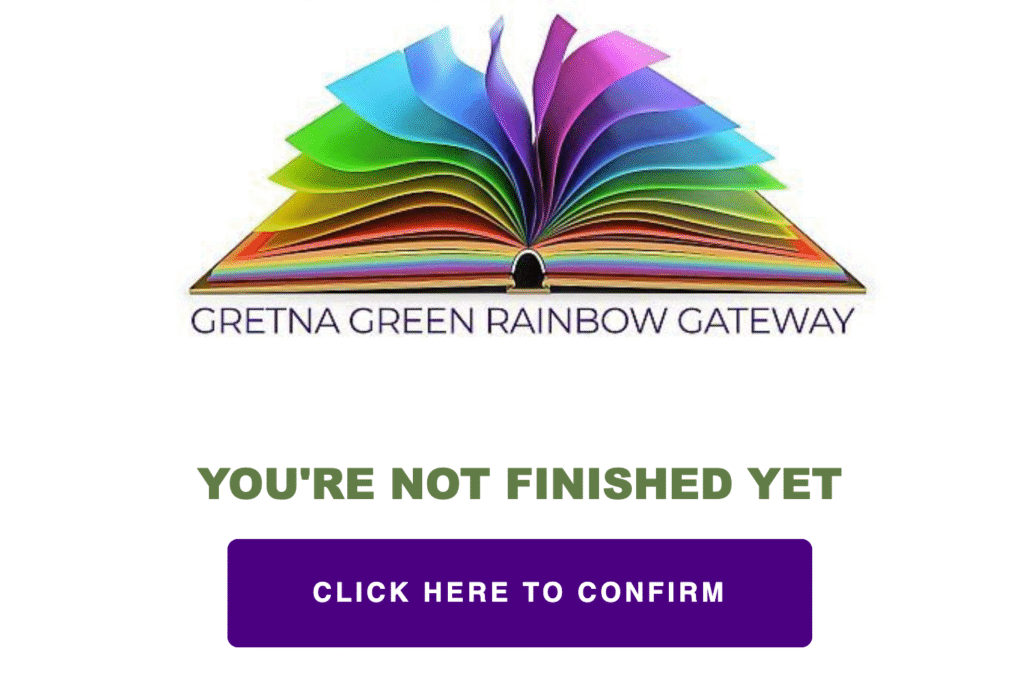
(This is a European anti-spam requirement)
Click the big purple button that says Click here to confirm and in mere moments … an email will arrive containing the links to the bonuses.
To help you find it, the first email has the subject line:
‘📚 Requested Bonus Epilogues from Gretna Green’
Yay! Go you! 👏
Imagine a squad of cheerleaders bearing coffee and cakes and Dola heaving a sigh of relief.
How to get the bonuses onto your Kindle or into your Kindle app on any device
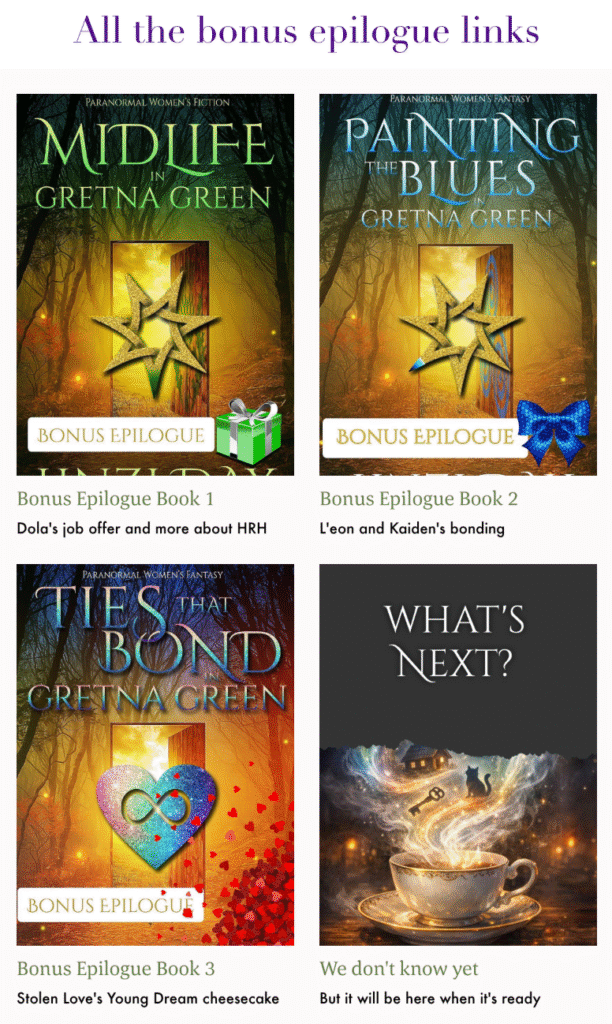
When you have a newsletter open, scroll ALL the way down to the bottom. You will either see something like the graphic here or because my newsletters are sometimes ‘too long’ according to some email providers, you may see the fateful words. They’re usually in BLUE.
[Message Clipped] VIEW ENTIRE MESSAGE somewhere towards the end.
Click the words to read the whole newsletter and to see the bonuses.
Next, click whichever bonus you want to add to your Kindle.
You can repeat this for each bonus you want.
I STRONGLY recommend you do NOT delete that email.
It is the only way to get the bonuses until the next newsletter comes out, and I only send one about nine months each year because sometimes I’m busy with other things.
When you’ve clicked the link, you will be taken to the Book Funnel website as in the screenshot below:
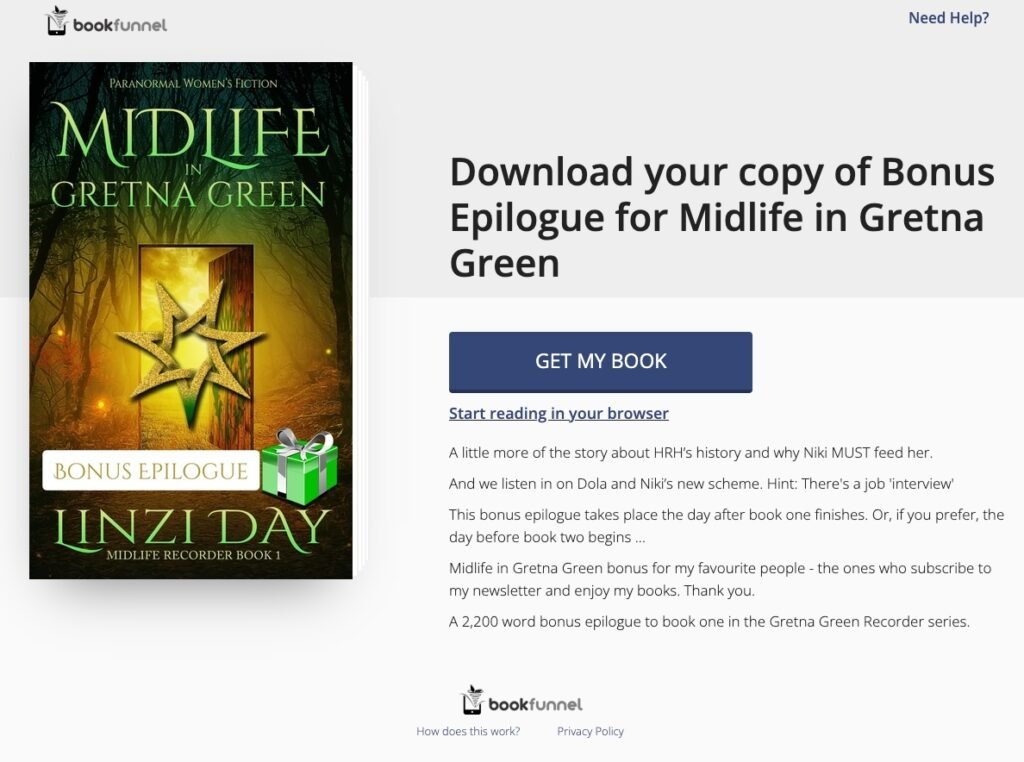
Paperback readers – look underneath GET MY BOOK — that’s your link
Now click the ‘GET MY BOOK’ button, it will open up a menu (see screenshot below).
Choose ‘Kindle’ or whichever other option works best for. you (These instructions are for the Kindle version, but each is very similar and has full details on the page)
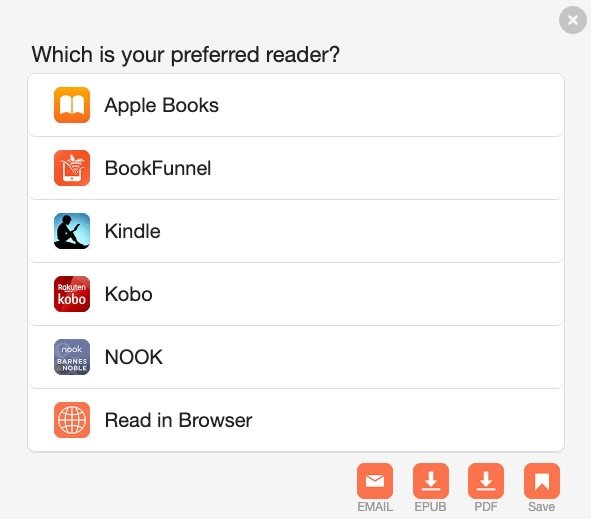
Follow the instructions on your screen to download the file. Now click the magic Amazon ‘Send to Kindle’ page and add the bonus to your Kindle library.
I’ve added screenshots below to help, but the guide Book Funnel gives you is nice and clear.
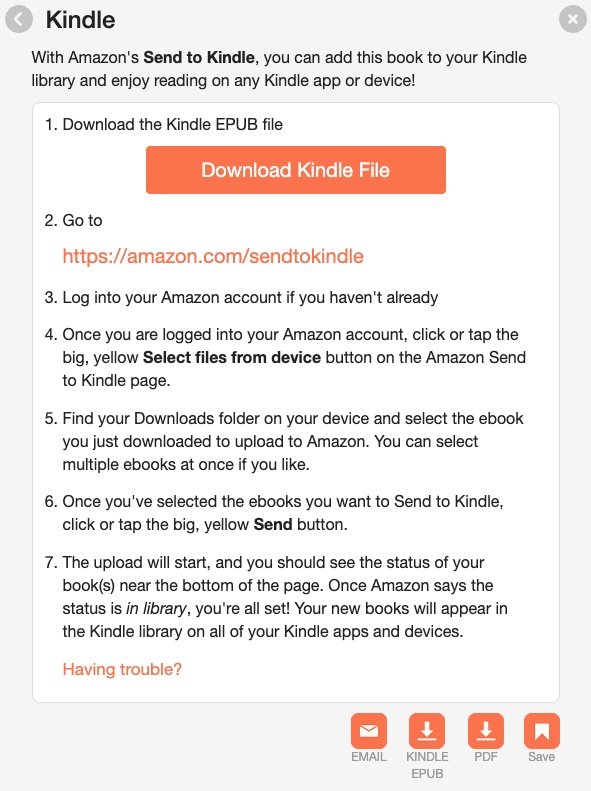
Adding the bonus to your Kindle library
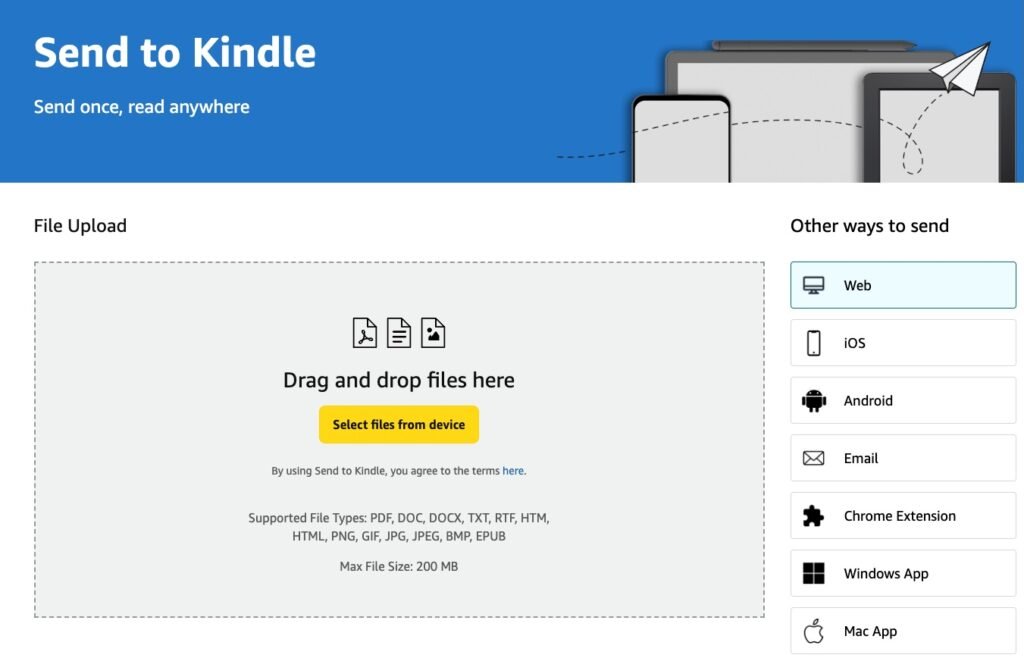
The Amazon ‘Send to Kindle’ page is shown below. Simply click the yellow ‘Select files from devices’ button then find the bonus file you’ve just downloaded.
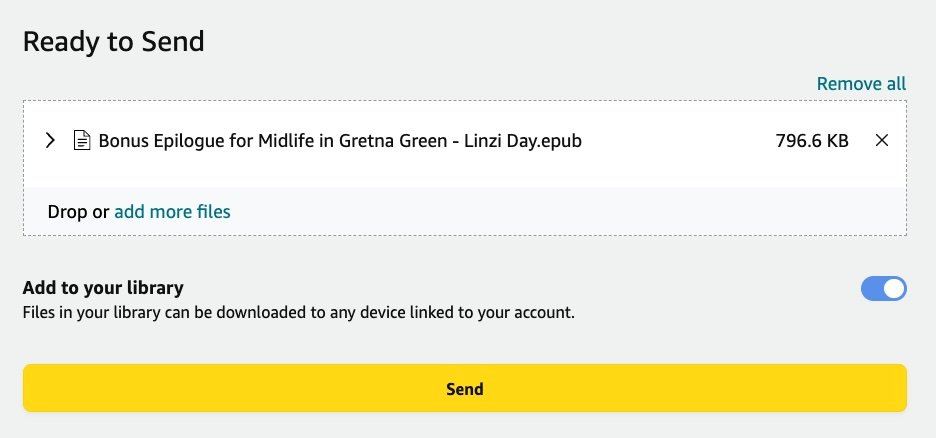
It will show you the file is ‘Ready to Send’.
Just hit the yellow ‘Send’ button. Or add the other bonuses now if you wish but don’t read them until after you’ve completed the matching books. The bonuses contain real, book-ruining spoilers.
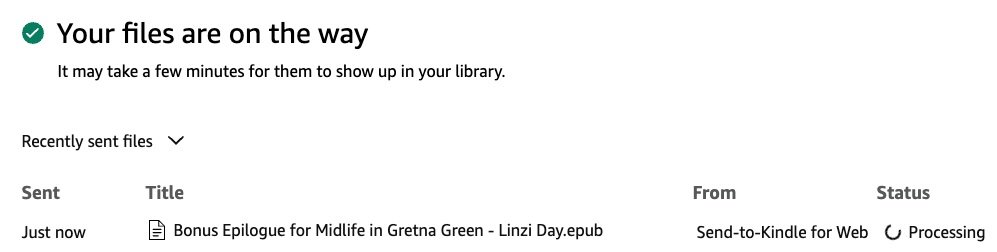
Congratulations! The bonus is on the way to your Kindle library.
You’ll see it saying ‘Processing’ on the right side, then after a few seconds it will change to ‘In library’ and that’s it in your library 🥳
Note: If your Kindle is on airplane mode, or it isn’t connected to Wi-Fi, you will need to connect it for the library to sync and show the new files.

Finding the bonus in your library
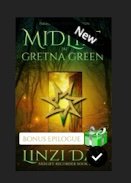
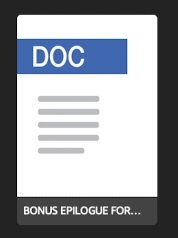
Now go to your Kindle library (on any device) and you’ll see the bonus showing up in your recent files. Before you first click on it, it might look like the first image below (the DOC one), but once you open it, it will add in the cover and you’ll be able to spot it easily.
Note: the bonuses have ‘Bonus Epilogue’ written in a white box over the front of the cover, so it’s easy to identify it compared to the full book.
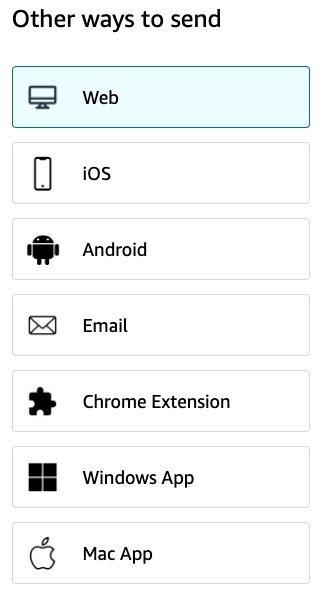
If you don’t want to use the web form as shown above for whatever reason, the Amazon ‘Send to Kindle’ page has a menu on the right side with other ways to get your bonus in to your library. Each of them have detailed instructions if you choose one of the options.
That’s it, you now have the bonus(es) on your Kindle for you to read whenever you want 🤩
Bonus Tip
This “Send to Kindle” trick works for loads of documents — not just my bonuses. I’ve used it to send recipes to a friend (as a Word document) and even long legal files I had to read (Dola’s 60-page EULA, anyone? 😂). Much nicer to read them curled up with a Kindle than squinting at a computer screen.
If you’d like to check where the bonuses fit into the series, here’s your complete reading order including all the stories and novellas in Spilling the Tea in Gretna Green